This is a quick and dirty rundown on troubleshooting an issue with the fluentd service on the new VMware Management System Platform (VMSP) that comes with the VCF 9.1 release.
The issue - fluentd status is failing
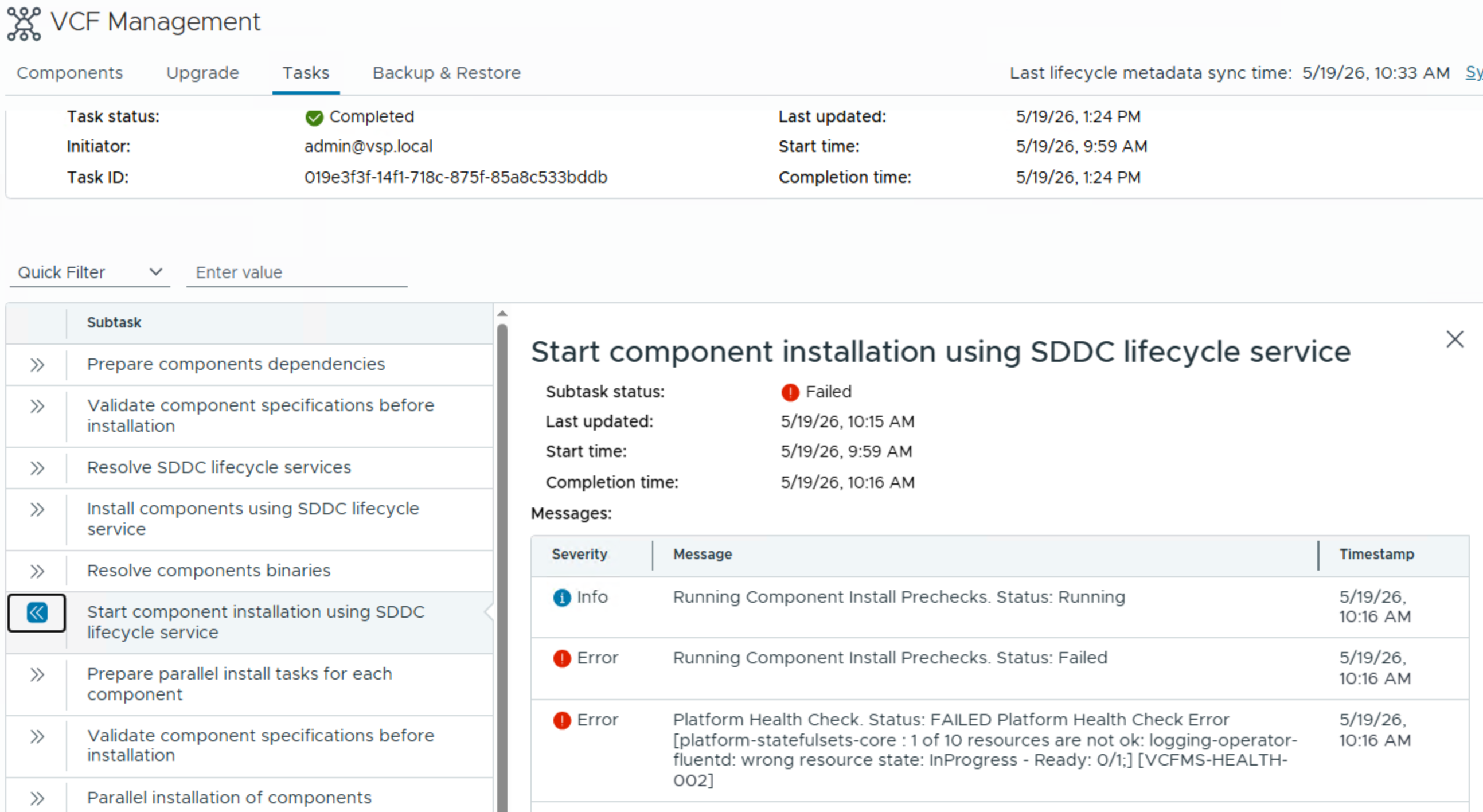
During the VCF 9.0 to 9.1 update, all tasks issued from VCF Operation and related to the VMSP started to fail. A common determinator was a failed health check that indicated that fluentd was not Ready.
Platform Health Check. Status: FAILED Platform Health Check Error [platform-statefulsets-core : 1 of 10 resources are not ok: logging-operator-fluentd: wrong resource state: InProgress - Ready: 0/1;] [VCFMS-HEALTH-002]
What is VMSP and fluentd anyway
VMSP is called VCF Management Services in the official documentation. VMSP / VCF Management Services host a set of centralized services that are crucial for running a VCF and VVF infrastructure.
It is deployed as a standard Kubernetes cluster with a Control Plane and Worker nodes:
- In the simple model, there is one VM for the Control Plane and at least three Worker nodes.
- In the HA mode, there are three VMs for the Control Plane and at least three Worker nodes.
Within this VMSP deployment, fluentd is collecting all the logs of the services in the VMSP.
Let’s fix it
The goal is to connect to the Control Plane node of the Kubernetes cluster, connect to Kubernetes and check on the fluentd pod.
Login in to the VMSP
At first glance, all the VMSP-VMs look the same with a random identifier added to the name.
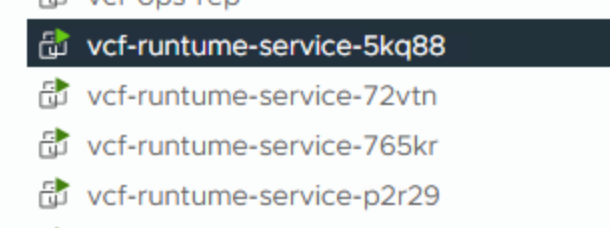
However, you can identify the Control plane VM(s) as they are a lot smaller than the Worker nodes. My Control Plane had just 4 vCPU and 10 GB RAM (as opposed to 24 vCPU and 48 GB RAM for the Worker nodes).
Once you have identified the VM, connect via ssh to the IP address of the node.
Use the account vmware-system-user with the password you specificed during the deployment of the VMSP to login.
Once on the shell, run sudo -i to elevate yourself to the root user.
This step is required to access the kubeconfig files on the node.
Connect to the Kubernetes cluster.
You can find the kubeconfig file in /etc/kubernetes/admin.conf.
Either use the --kubeconfig parameter or export the KUBECONFIG environmental variable:
export KUBECONFIG=/etc/kubernetes/admin.conf
Test your connection by listing the pods:
k get pods -A
Check on fluentd
As the error message indicated, fluentd is having an issue and therefore we need to determine the state of the pod:
root@vcf-runtume-service-5kq88 [ ~ ]# k get pods -A | grep -i fluentd
vmsp-platform     logging-operator-fluentd-0                                                  1/2     Running     0             113s
vmsp-platform     logging-operator-fluentd-configcheck-12d47ad3                               0/1     Completed   0
One of two containers within the pod are running which indicates an issue. Describing the pod usually revals the issue somewhere in the output.
For brevity, I truncated the output as the last line shows the problem: The readiness probe is failing.
root@vcf-runtume-service-5kq88 [ ~ ]# k describe -n vmsp-platform     pod/logging-operator-fluentd-0 | tail -n 20
    Type:                    Projected (a volume that contains injected data from multiple sources)
    TokenExpirationSeconds:  3607
    ConfigMapName:           kube-root-ca.crt
    Optional:                false
    DownwardAPI:             true
QoS Class:                   Burstable
Node-Selectors:              <none>
Tolerations:                 node.kubernetes.io/not-ready:NoExecute op=Exists for 300s
                             node.kubernetes.io/unreachable:NoExecute op=Exists for 300s
Events:
  Type     Reason     Age                 From               Message
  ----     ------     ----                ----               -------
  Normal   Scheduled  2m20s               default-scheduler  Successfully assigned vmsp-platform/logging-operator-fluentd-0 to vcf-runtume-service-cnz6z
  Normal   Pulled     2m18s               kubelet            Container image "registry.vmsp-platform.svc.cluster.local:5000/images/kube-logging-fluentd:v1.19" already present on machine
  Normal   Created    2m18s               kubelet            Created container: fluentd
  Normal   Started    2m18s               kubelet            Started container fluentd
  Normal   Pulled     2m18s               kubelet            Container image "registry.vmsp-platform.svc.cluster.local:5000/images/kube-logging-config-reloader:v0.0.7" already present on machine
  Normal   Created    2m18s               kubelet            Created container: config-reloader
  Normal   Started    2m18s               kubelet            Started container config-reloader
  Warning  Unhealthy  11s (x9 over 2m1s)  kubelet            Readiness probe failed:
I’ll cut it short here, by skipping the step on checking on the script for the readiness probe and come to the issue.
NOTE: Depending on how many services you have enabled, you might see more than one fluentd pod in your environment. Repeat the steps on all pods with that show problems.
The buffer limit is most likely to be exceeded. If you have over 10000 entries, the readiness probe will fail (in my case I had over 21k):
root@vcf-runtume-service-5kq88 [ ~ ]# kubectl exec -n vmsp-platform logging-operator-fluentd-0 -c fluentd -- sh -c 'find /buffers -type f | wc -l'
21346 <<<----
Next step is to clear the buffers:
root@vcf-runtume-service-5kq88 [ ~ ]# kubectl exec -n vmsp-platform logging-operator-fluentd-0 -c fluentd -- sh -c "find /buffers -mindepth 1 -delete" || true
After that, all containers should restart:
root@vcf-runtume-service-5kq88 [ ~ ]# k get pods -A | grep -i fluentd
vmsp-platform     logging-operator-fluentd-0                                                  2/2     Running     0             2s
Update: I got a reference to KB 438093 with a different error but the same resolution steps
Comments